


TruStage is Temporarily Unavailable. TruStage has reported that they are currently experiencing system outages. Members may experience inconveniences while attempting to submit claims for GAP Insurance, Auto and Home, or Payment Protection to TruStage. For more information, please visit TruStage’s website.
 Utilities Employees Credit Union
Get Started with UECU Digital Banking
Your First Login — Step by Step
Logging in for the first time is quick, secure, and easy.
Follow these simple steps to access your account and explore your new digital experience.
1
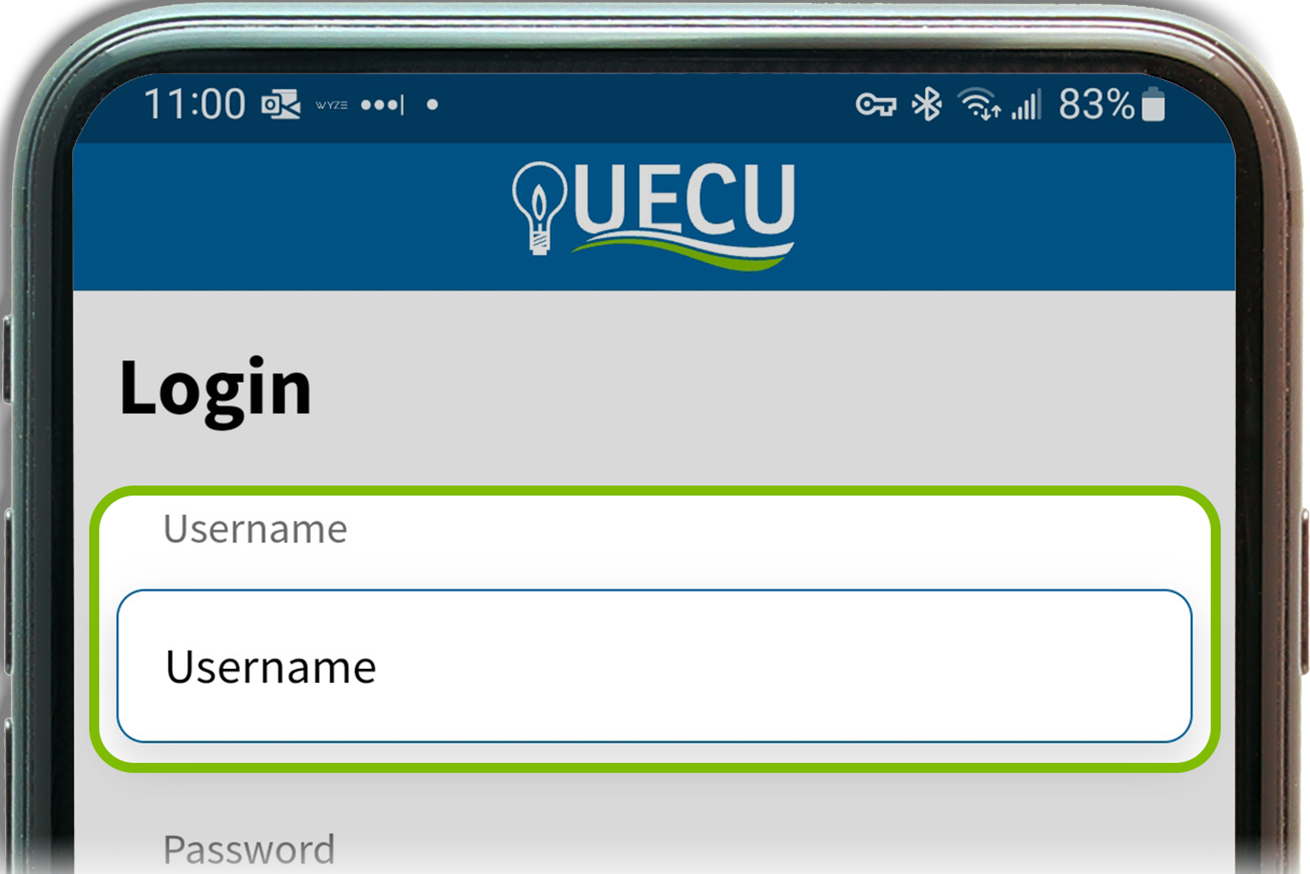
Step 1:
Enter your username and password.
2
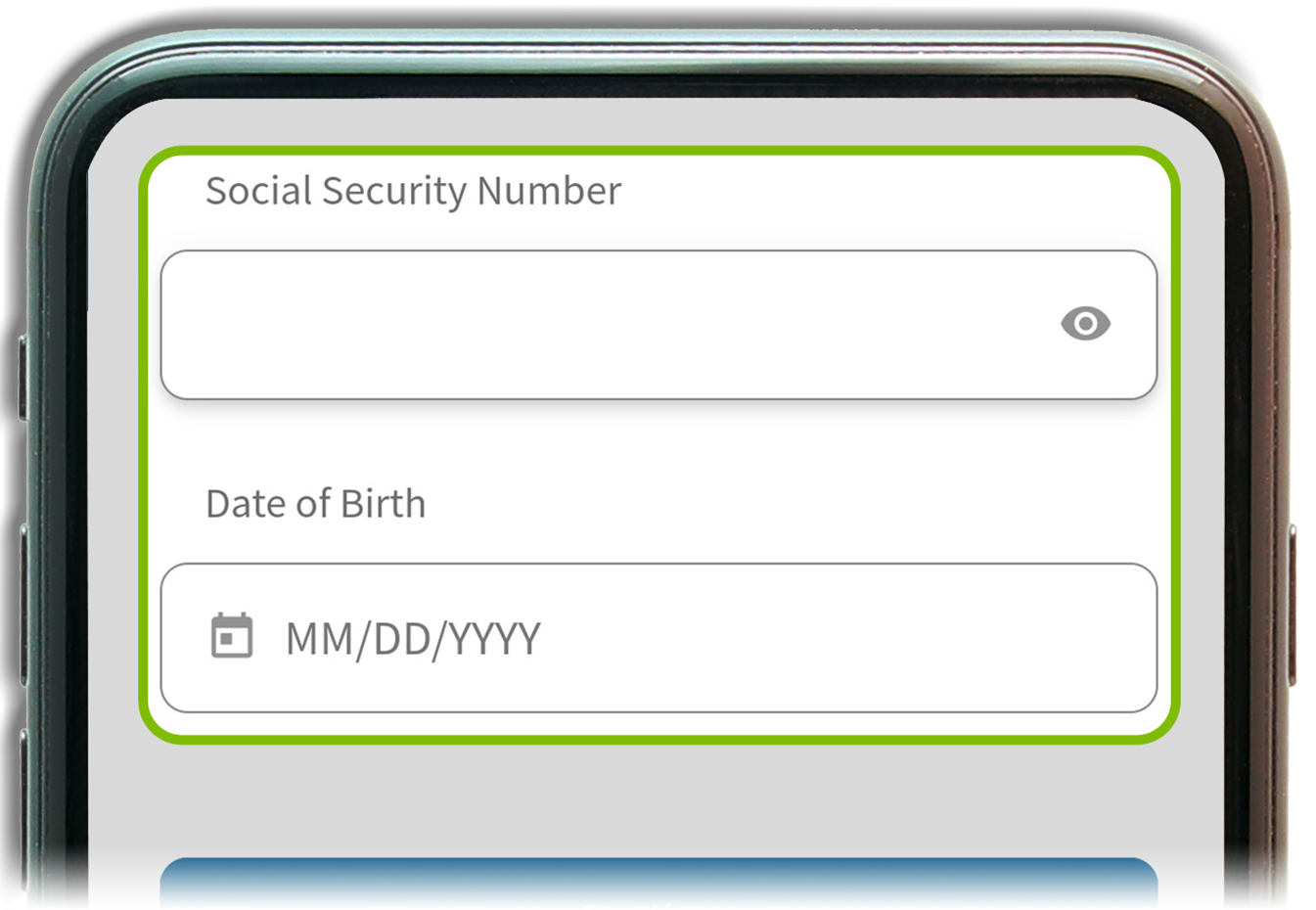
Step 2:
Confirm your identity with your Social Security Number and Date of Birth.
3
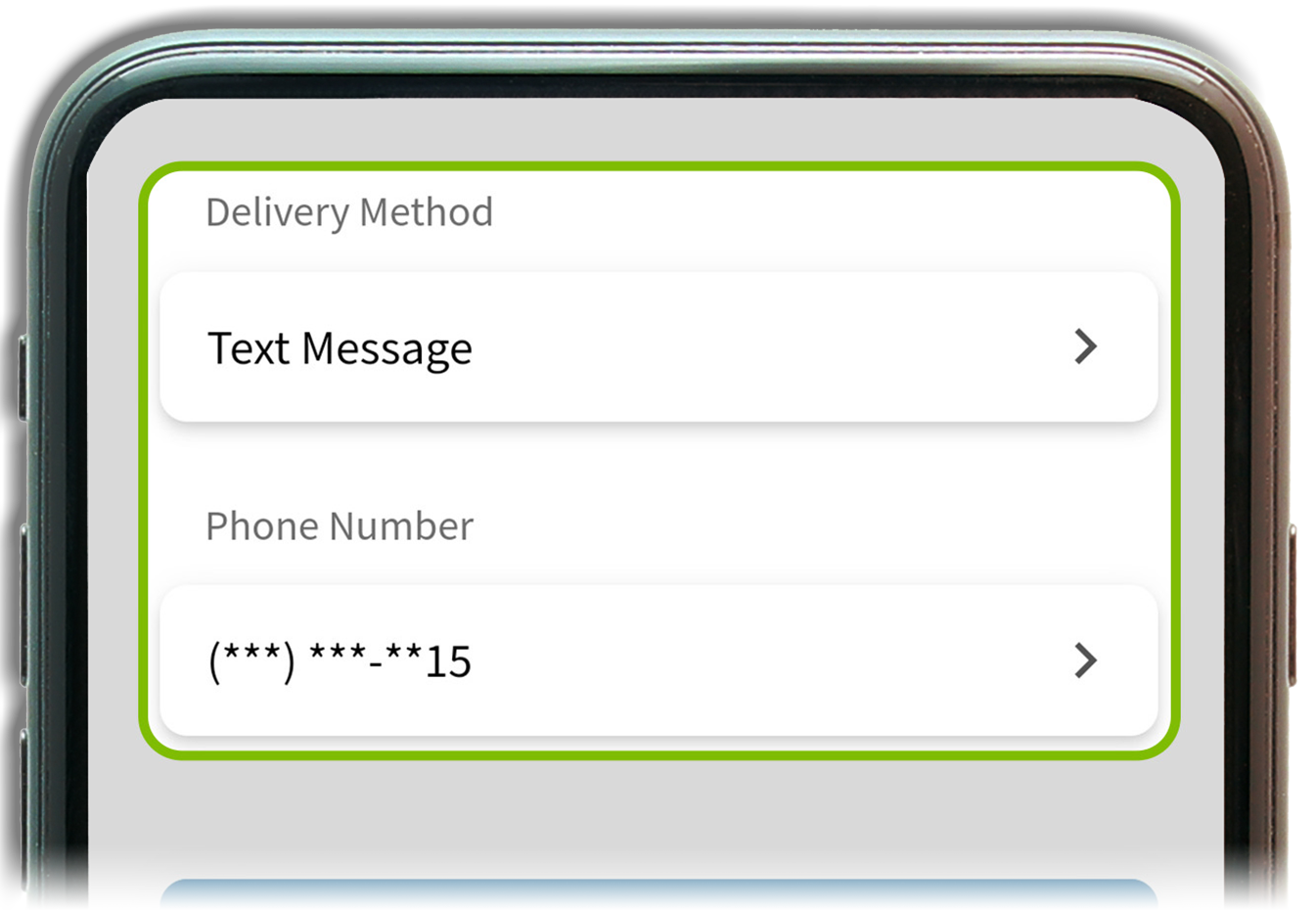
Step 3:
Verify your account with the security code sent via text or voice call.
4
Step 4:
Create your new secure password (12–32 characters, must include an uppercase letter, number, and special character).

5
Step 5 (Mobile Only):
Register your device for push authentication notifications — the easiest, most secure way to log in.

Make the Most of Your Digital Banking Experience
After logging in, explore these powerful tools: